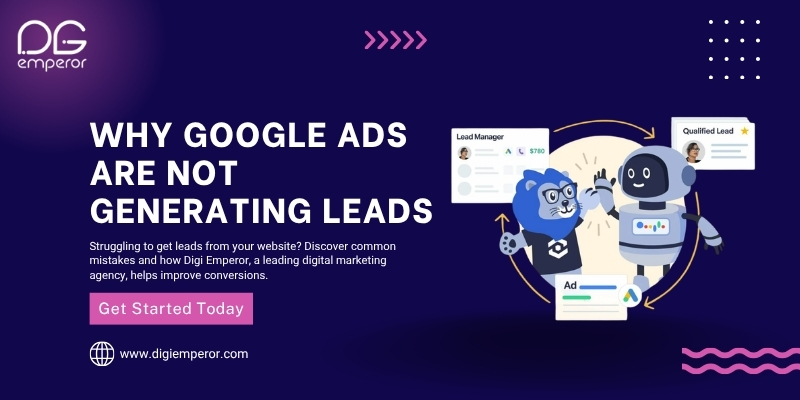
Are your Google Ads campaigns getting clicks but not generating enquiries? Are you spending money on advertising every day, but your phone is not ringing and your enquiry forms remain empty?
This is a common challenge for businesses running Google Ads. Your advertisements may appear in Google search results, attract website visitors and generate clicks, yet fail to produce the enquiries your business needs.
If you are experiencing Google Ads getting clicks but no leads, the problem may not be your advertising budget alone. It could be related to keyword targeting, search intent, location settings, landing page experience, conversion tracking or your sales follow-up process.
For businesses in Mumbai, where competition across industries can be strong, identifying the actual problem is important before making major campaign changes.
In this guide, we will explain 12 common reasons why Google Ads are not generating leads, how to identify each problem and what practical steps you can take to improve campaign performance and lead quality.
Why Are Google Ads Not Generating Leads?
Google Ads may not generate leads because your campaigns attract irrelevant searches, target the wrong audience, use weak advertisements or send visitors to landing pages that do not encourage enquiries.
Other common reasons include incorrect conversion tracking, insufficient negative keywords, unsuitable bidding strategies, slow website speed and ineffective sales follow-ups.
To identify the problem, examine your complete advertising funnel, from keyword searches and advertisement clicks to website visits, enquiries and qualified customers.
How to Identify Why Your Google Ads Are Not Generating Leads
|
What you observe |
Possible problem |
What to check |
|
High impressions but low clicks |
Weak ad messaging |
Headlines, descriptions and CTR |
|
High clicks but no enquiries |
Landing page problem |
Forms, CTA and page relevance |
|
Irrelevant enquiries |
Incorrect targeting |
Search terms and keywords |
|
Zero recorded conversions |
Tracking issue |
Conversion actions and tags |
|
Website traffic but no calls |
Contact visibility |
Phone number and call tracking |
|
Leads but no sales |
Lead quality or sales process |
CRM and follow-ups |
12 Common Reasons Why Google Ads Are Not Generating Leads and How to Fix Them
1. You Are Targeting the Wrong Keywords
Keyword targeting is one of the most important parts of a Google Ads campaign.
Your advertisements may receive clicks, but those visitors might not be interested in purchasing your products or services.
For example, a digital marketing agency in Mumbai targeting a broad keyword such as “digital marketing” may attract students, job seekers and people looking for free marketing tutorials.
These visitors may increase website traffic without generating relevant business enquiries.
Can wrong keywords cause low-quality leads?
Yes. When your keywords do not match the search intent of potential customers, your advertisements can attract visitors who are not ready to enquire or purchase.
How to fix it:
- Prioritise keywords with commercial and transactional intent.
- Use specific long-tail keywords related to your services.
- Review your Search Terms Report regularly.
- Identify keywords generating relevant enquiries.
- Pause or refine keywords that consistently attract irrelevant traffic.
For businesses looking for professional campaign management, explore Google Ads Management Services offered by Digi Emperor.
2. You Are Not Using Negative Keywords Properly
Negative keywords help prevent your advertisements from appearing for irrelevant searches.
Without a proper negative keyword strategy, your campaign may spend money on visitors who have no intention of becoming customers.
For example, a company providing professional Google Ads management services may not want to attract people searching for free courses, jobs or tutorials.
How to fix it:
- Open your Google Ads account.
- Select the relevant Search campaign.
- Open the Search Terms report.
- Review actual searches triggering your advertisements.
- Identify irrelevant search queries.
- Add appropriate negative keywords.
Possible negative keywords include free, jobs, careers, salary, internship, course, training and tutorial.
Check actual search intent before excluding any term.
3. Your Ads Are Reaching the Wrong Location
Location targeting is particularly important for businesses offering services in specific geographical areas.
For example, if your company operates in Mumbai but your advertisements attract people from locations where you cannot provide services, those clicks may not produce useful enquiries.
How to fix it:
- Select locations according to your actual service areas.
- Review location options in campaign settings.
- Consider presence-based targeting.
- Check geographical performance reports.
- Exclude locations that consistently generate irrelevant traffic.
For Mumbai-based businesses, relevant service areas may include Andheri, Thane, Navi Mumbai, Powai and other locations where the business genuinely operates.
4. Your Ad Copy Is Not Convincing Enough
Even if your advertisements appear for relevant searches, visitors may not click when your ad copy fails to communicate a clear benefit.
Generic headlines, unclear messaging and weak calls to action can reduce campaign effectiveness.
Example:
Weak headline: Best Services Available. Contact Us Today.
Improved headline: Google Ads Management Services in Mumbai.
How to fix it:
- Include relevant keywords in your headlines.
- Communicate genuine business benefits.
- Mention your location where relevant.
- Use clear calls to action.
- Ensure your advertisement matches the landing page.
5. Your Landing Page Is Not Converting Visitors
One of the most common reasons behind Google Ads getting clicks but no leads is a poorly optimised landing page.
Imagine someone clicks an advertisement promoting Google Ads management services but lands on a general homepage containing several unrelated services.
The visitor may struggle to find the information they need and leave without contacting your business.
How to fix it:
- Use a clear headline matching the advertisement.
- Provide relevant product or service information.
- Add a prominent enquiry form.
- Display phone and WhatsApp contact options.
- Include clear calls to action.
- Use genuine testimonials and business credentials.
- Ensure the page works properly on mobile devices.
If your landing page needs improvement, explore Landing Page Website Development services to understand how a dedicated page can support your advertising campaigns.
6. Your Website Loads Slowly or Has Mobile Usability Problems
A potential customer may click your advertisement but leave before submitting an enquiry if your website takes too long to load.
Common issues include large images, unnecessary scripts, poor mobile layouts, broken contact forms and difficult navigation.
How to fix it:
- Test your website using Google PageSpeed Insights.
- Compress large images.
- Reduce unnecessary scripts and plugins.
- Improve mobile responsiveness.
- Test contact forms on different devices.
- Make phone and WhatsApp links easy to access.
7. Your Google Ads Conversion Tracking Is Not Working Properly
Incorrect conversion tracking can make it difficult to understand whether your advertisements are actually generating enquiries.
For example, a customer may successfully submit an enquiry form, but Google Ads does not record the action because the conversion tag is missing or incorrectly configured.
How to fix it:
- Check Google Ads conversion actions.
- Verify Google tag installation.
- Review Google Tag Manager configuration.
- Test form submission tracking.
- Check phone call conversion tracking.
- Identify duplicate conversion events.
- Review conversion action status and diagnostics.
How Do I Know Whether Google Ads Conversion Tracking Works?
- Open your Google Ads account.
- Navigate to Goals → Conversions → Summary.
- Select the relevant conversion action.
- Review its status and diagnostics.
- Open Google Tag Assistant.
- Visit your landing page and submit a genuine test enquiry.
- Verify that the correct conversion event fires after successful submission.
- Review conversion reporting and diagnostics in Google Ads.
A tag firing does not automatically mean that Google Ads has successfully attributed and reported a conversion.
Read the official Google Ads Conversion Tracking documentation for further technical guidance.
8. Your Bidding Strategy Does Not Match Your Campaign Goals
Your bidding strategy influences how Google Ads uses your available budget to achieve advertising objectives.
If your goal is lead generation but your campaign is primarily optimised for website traffic, you may receive clicks without meaningful enquiries.
|
Bidding strategy |
Main purpose |
|
Maximise Clicks |
Generate website clicks |
|
Maximise Conversions |
Optimise towards conversions |
|
Target CPA |
Aim for conversions around a specified average acquisition cost |
|
Manual CPC |
Allow more direct control over keyword bids |
For businesses looking for professional PPC campaign management, Digi Emperor’s Pay Per Click (PPC) Services provide a relevant service page to explore.
9. Your Advertising Budget Is Too Small or Poorly Distributed
Your Google Ads budget can affect how much traffic your campaign receives and how frequently your advertisements appear.
If your budget is divided across too many campaigns, locations and ad groups, individual campaigns may not receive sufficient traffic or conversion data.
Is my Google Ads budget too low to generate leads?
It could be, but budget alone is not enough to diagnose campaign performance.
How to fix it:
- Prioritise your most important services.
- Focus on high-intent keywords.
- Avoid spreading limited budgets across too many campaigns.
- Review spending at campaign and keyword levels.
- Check Search Lost Impression Share (budget).
- Allocate more budget to campaigns generating qualified enquiries.
10. Your Offer Does Not Give Customers a Reason to Enquire
Sometimes, your advertisement and landing page are technically correct, but your offer is not compelling enough.
Potential customers may visit your website, compare different businesses and leave without contacting you.
How to fix it:
Depending on your business, consider offering:
- A free initial consultation.
- A service assessment.
- A detailed quotation.
- A product demonstration.
- A customised business proposal.
Clearly explain what customers receive after submitting an enquiry.
11. You Are Not Following Up With Leads Quickly
Not every Google Ads problem occurs inside the advertising account.
Sometimes, advertisements generate enquiries, but the sales team fails to convert those enquiries into customers.
Why am I receiving irrelevant enquiries?
This may happen because advertisements attract people outside your ideal customer profile, your landing page does not communicate requirements clearly or your enquiry form does not collect enough qualifying information.
How to fix it:
- Respond to new enquiries promptly.
- Assign leads to the appropriate sales representative.
- Track calls, WhatsApp messages and form submissions.
- Use a CRM to manage customer interactions.
- Ask relevant qualifying questions.
- Record lead status and reasons for rejection.
12. You Are Optimising for Clicks Instead of Qualified Leads
A campaign can generate hundreds of clicks and several form submissions but still fail to produce meaningful business results.
This happens when advertisers focus only on traffic, impressions or the number of enquiries without evaluating lead quality.
How to fix it:
|
Metric |
What it tells you |
|
CTR |
How frequently people click after seeing your ad |
|
Average CPC |
Average cost per click |
|
Conversion rate |
Percentage of measured interactions resulting in conversions |
|
Cost per lead |
Advertising expenditure per recorded lead |
|
Qualified lead rate |
Percentage of leads meeting your business criteria |
|
Cost per qualified lead |
Advertising expenditure per qualified lead |
|
Lead-to-customer rate |
Percentage of leads becoming customers |
|
ROAS |
Revenue attributed to advertising relative to ad expenditure |
Where your CRM and tracking setup support it, import qualified lead and sales outcomes through enhanced conversions for leads or offline conversion tracking.
How to Improve Google Ads Lead Quality
Generating more leads is not always the right objective. Your business needs enquiries from people who genuinely require your products or services.
To improve lead quality:
- Refine keyword targeting.
- Create specific advertisements.
- Improve landing page messaging.
- Add relevant qualifying questions.
- Review lead sources and geographical performance.
- Connect your CRM with advertising data where supported.
- Collect feedback from your sales team.
For businesses that also want to build long-term organic visibility alongside paid advertising, explore SEO Services in Mumbai.
Why Am I Getting Traffic but No Phone Calls?
Some businesses receive website traffic from Google Ads but very few phone enquiries.
Possible reasons include hidden phone numbers, non-clickable mobile numbers, incorrect contact details, unanswered calls and missing call conversion tracking.
How to fix it:
- Display your contact number prominently.
- Make the number clickable on mobile.
- Add a clear “Call Now” CTA.
- Test call assets where appropriate.
- Configure suitable call conversion measurement.
- Check missed calls and response times.
How Can I Fix Google Ads Campaigns That Aren’t Performing?
|
Step |
What to investigate |
Recommended action |
|
1 |
Campaign eligibility |
Check approval and delivery status |
|
2 |
Keyword relevance |
Review search terms and match types |
|
3 |
Negative keywords |
Exclude irrelevant searches |
|
4 |
Location targeting |
Verify geographical settings |
|
5 |
Ad performance |
Review CTR and messaging |
|
6 |
Landing page |
Test relevance, forms and CTA |
|
7 |
Website performance |
Check mobile usability and speed |
|
8 |
Conversion tracking |
Test tags and conversion events |
|
9 |
Bidding and budget |
Evaluate objectives and spending |
|
10 |
Lead quality |
Review CRM and sales feedback |
Example: Diagnosing a Google Ads Campaign for a Mumbai Business
Consider a digital marketing agency in Mumbai running Google Ads to generate enquiries for its PPC management services.
Suppose the campaign receives 200 clicks but only two enquiries.
Instead of immediately increasing the daily budget, the advertiser should investigate:
- Whether keywords attract business owners or students.
- Whether advertisements reach the relevant Mumbai service areas.
- Whether an ad copy explains the actual services.
- Whether the landing page provides an easy way to enquire.
- Whether conversion tracking records successful submissions.
- Whether the two enquiries are from genuine potential customers.
For an industry-specific example, you can also explore our guides on Google Ads for Real Estate and Google Ads for Jewellery Stores.
Final Thoughts
Turn Google Ads Clicks Into Meaningful Business Enquiries
When Google Ads are not generating leads, increasing your advertising budget should not be your first response.
The actual problem could be related to keyword targeting, irrelevant searches, poor landing page experience, incorrect conversion tracking or an ineffective sales follow-up process.
Start by identifying where potential customers are dropping off. Review your search terms, test your website, verify conversion tracking and measure qualified enquiries instead of focusing only on clicks.
For businesses in Mumbai, a well-structured Google Ads strategy should combine relevant targeting, convincing advertisements, optimised landing pages and accurate conversion measurement.
Need Help Improving Your Google Ads Performance?
If your business is spending money on Google Ads but struggling with low-quality enquiries, rising acquisition costs or conversion tracking problems, professional campaign analysis can help identify areas that need improvement.
Digi Emperor provides Google Ads management services focused on campaign strategy, keyword research, audience targeting, landing page optimisation and conversion tracking.
Explore our Google Ads Agency in Mumbai services to learn more about PPC campaign management for your business.
Contact Digi Emperor to discuss your Google Ads campaign requirements.
Faq's
Why are my Google Ads getting clicks but no leads?
Google Ads may receive clicks without generating leads because of irrelevant keywords, incorrect audience targeting, weak advertisements, poor landing page experience or broken conversion tracking.
Why are my Google Ads not converting?
Your advertisements may attract visitors who are not ready to enquire or purchase. Other possible reasons include slow website speed, unclear calls to action, irrelevant traffic and incorrect conversion tracking.
Why does Google Ads show zero conversions?
Google Ads may show zero conversions because no measurable conversions occurred, tracking tags are missing, conversion events are incorrectly configured or reporting and attribution have not yet been processed.
How do I know whether Google Ads conversion tracking works?
Use Google Tag Assistant to verify that the relevant Google tags are detected and that the correct conversion event fires after a successful action. Also review conversion action status and reporting in Google Ads.
Can wrong keywords cause low-quality leads?
Yes. Keywords that do not match your customers’ search intent can attract students, job seekers, researchers or people looking for unrelated services.
Why am I receiving irrelevant enquiries?
Irrelevant enquiries may result from broad keyword targeting, unsuitable geographical settings, unclear advertisements or landing pages that do not communicate customer requirements.
How do I improve Google Ads lead quality?
Focus on relevant keywords, specific ad copy, accurate location targeting, optimised landing pages and appropriate qualifying questions. Review your CRM data to identify which campaigns generate genuinely interested prospects.
Why am I getting traffic but no phone calls?
Visitors may prefer other contact methods, or they may not find your phone number easily. Check mobile contact visibility, clickable phone numbers, call assets, call tracking and missed-call handling.
Is my Google Ads budget too low to generate leads?
A limited budget can restrict campaign visibility and data collection, especially in competitive industries. However, first check keyword relevance, conversion tracking and landing page performance before increasing your spending.
How can I fix Google Ads campaigns that aren't performing?
Start by checking campaign status, search terms, negative keywords, location targeting, ad relevance, landing pages, conversion tracking and bidding strategy.
How long does Google Ads take to generate leads?
There is no guaranteed timeframe. Results depend on industry competition, search demand, budget, keyword intent, website experience and campaign setup.
How often should I optimise Google Ads campaigns?
Review campaign performance regularly. Search terms, budgets, conversion tracking and lead quality should be monitored consistently.